.png?width=225&height=75&name=Zeplyn_Blue%20%26%20White%20(1).png)
🔧 Setting Up the Integration
-
Go to Settings → Integrations.
-
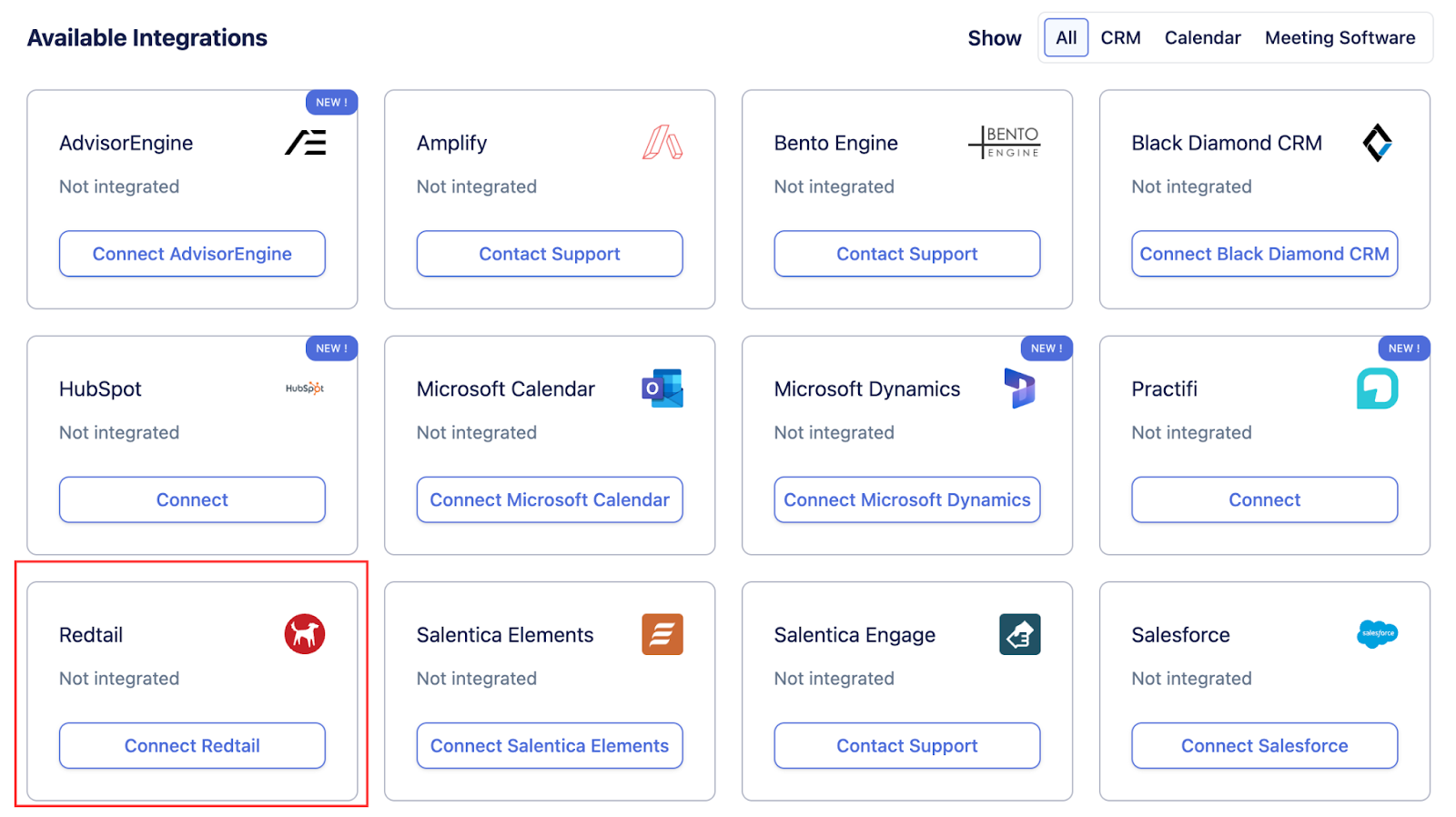
Under Available Integrations, find Redtail.
-
Click Connect.
-
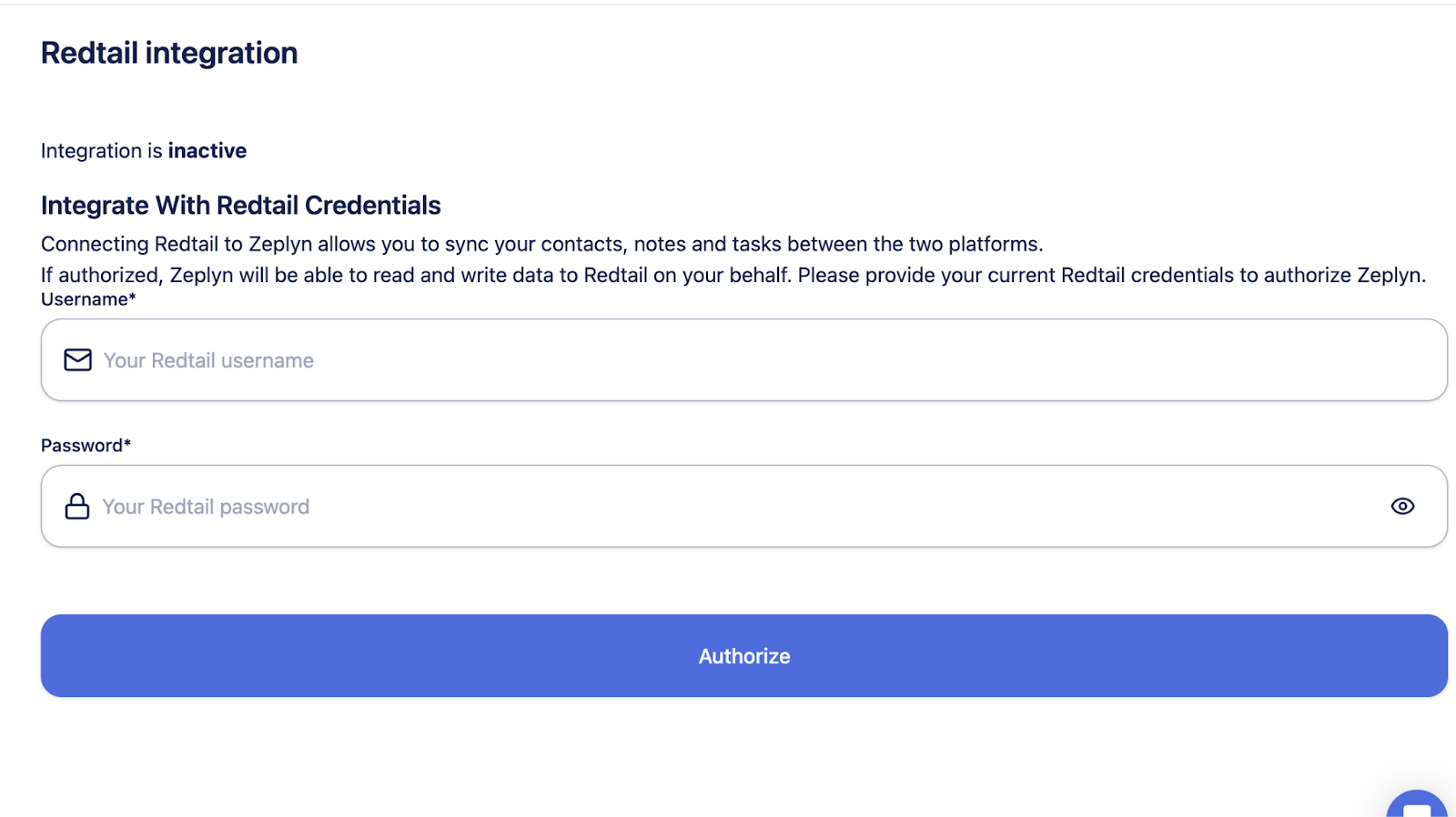
Enter your Redtail Username and Password when prompted.
-
On successful sign-in, your configuration will be added automatically — no manual setup required.
📝 Syncing Notes to Redtail
After your integration is connected:
-
Navigate to the Notes section in Zeplyn.
-
Select the note you want to sync.
-
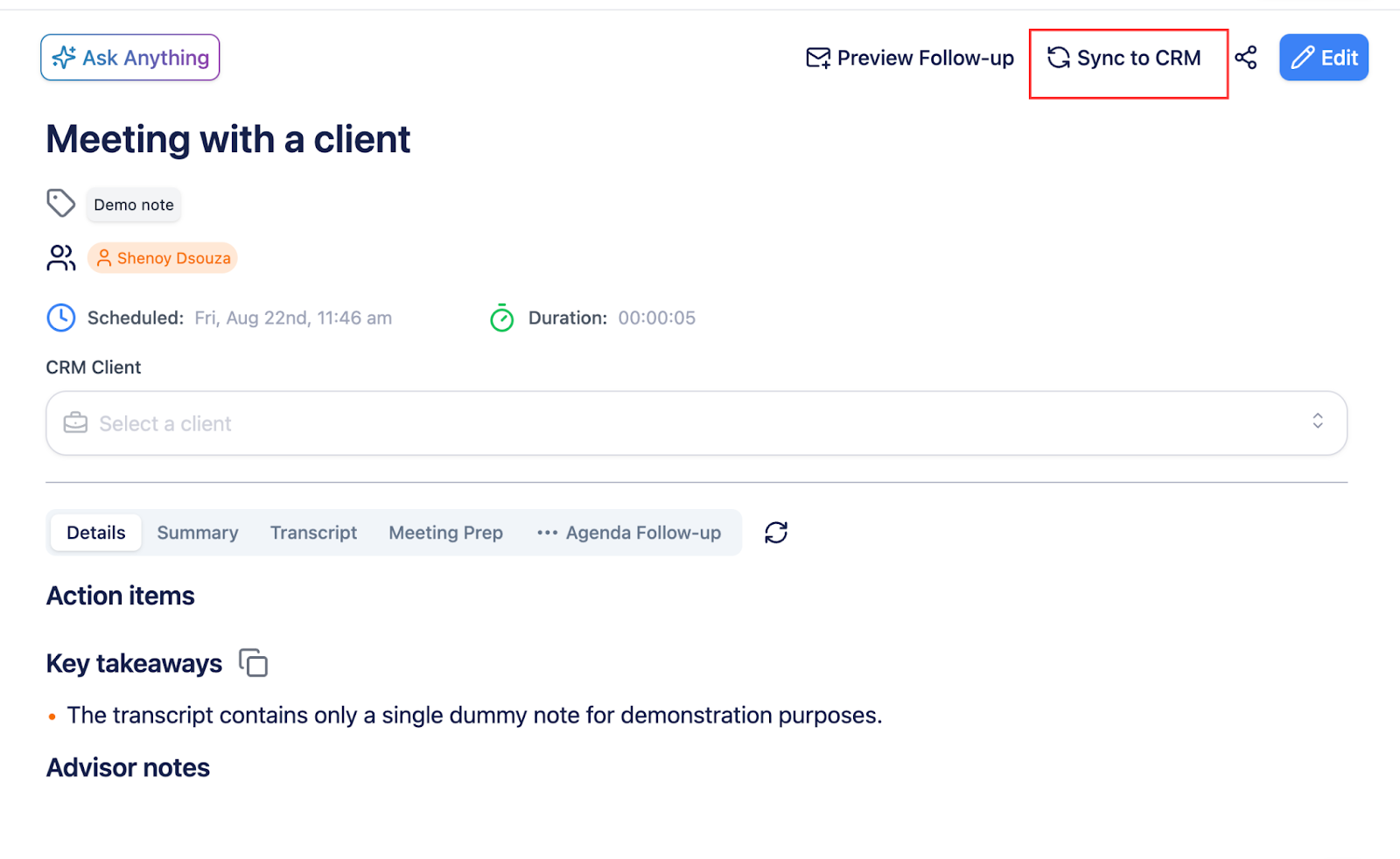
Click Sync to CRM.
-
From the dropdown, choose the Contact (from Redtail) you want to sync the note to.
-
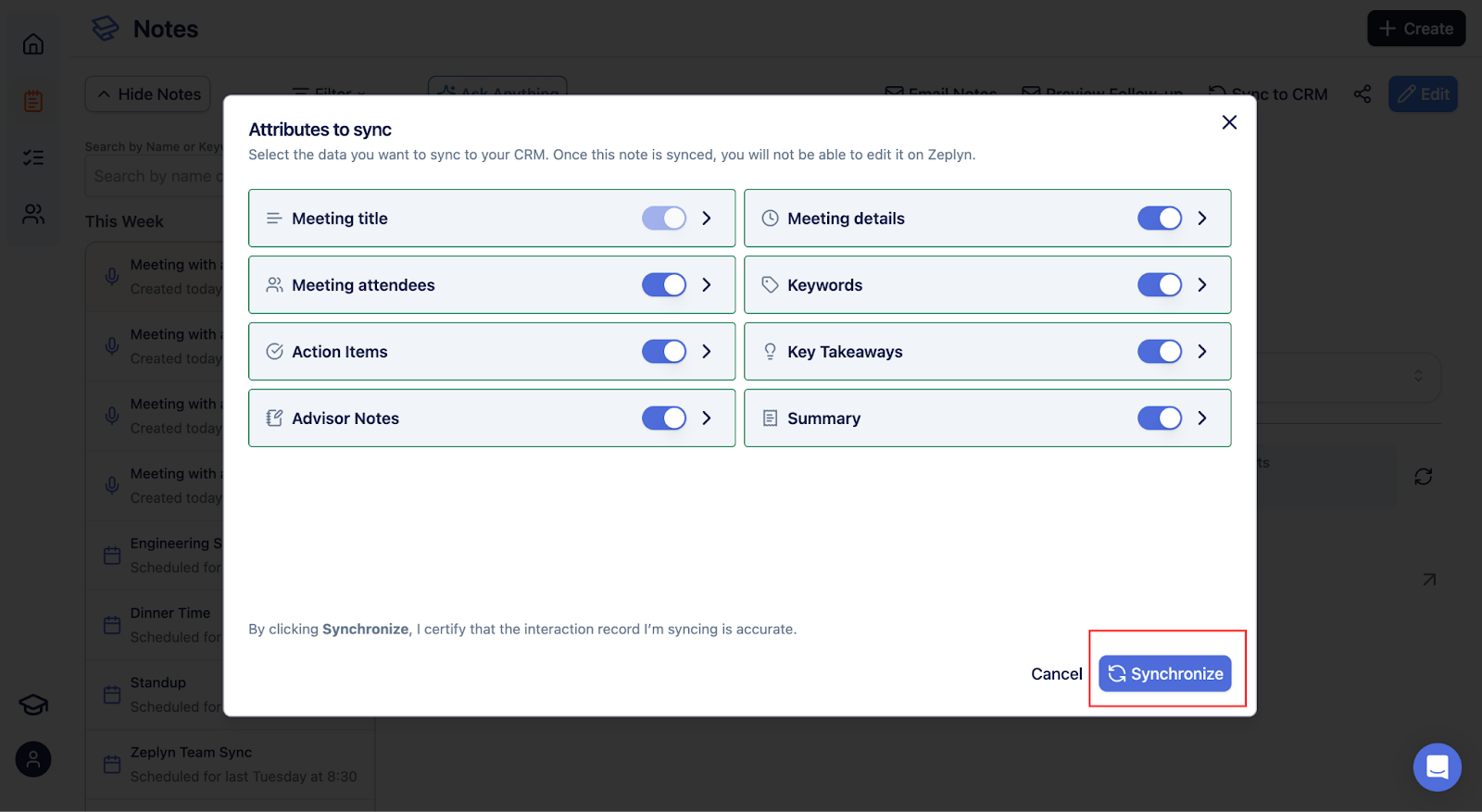
Toggle the attributes you want to sync, then confirm.
⚠️ Important:
-
Once a note is synced to Redtail, it cannot be edited in Zeplyn.
-
Redtail does not publicly expose a
/usersAPI or provide a way to fetch user IDs by email. -
Because of this limitation, any synced tasks will default to the user who performed the sync.
📍 Where to Find Synced Data in Redtail CRM
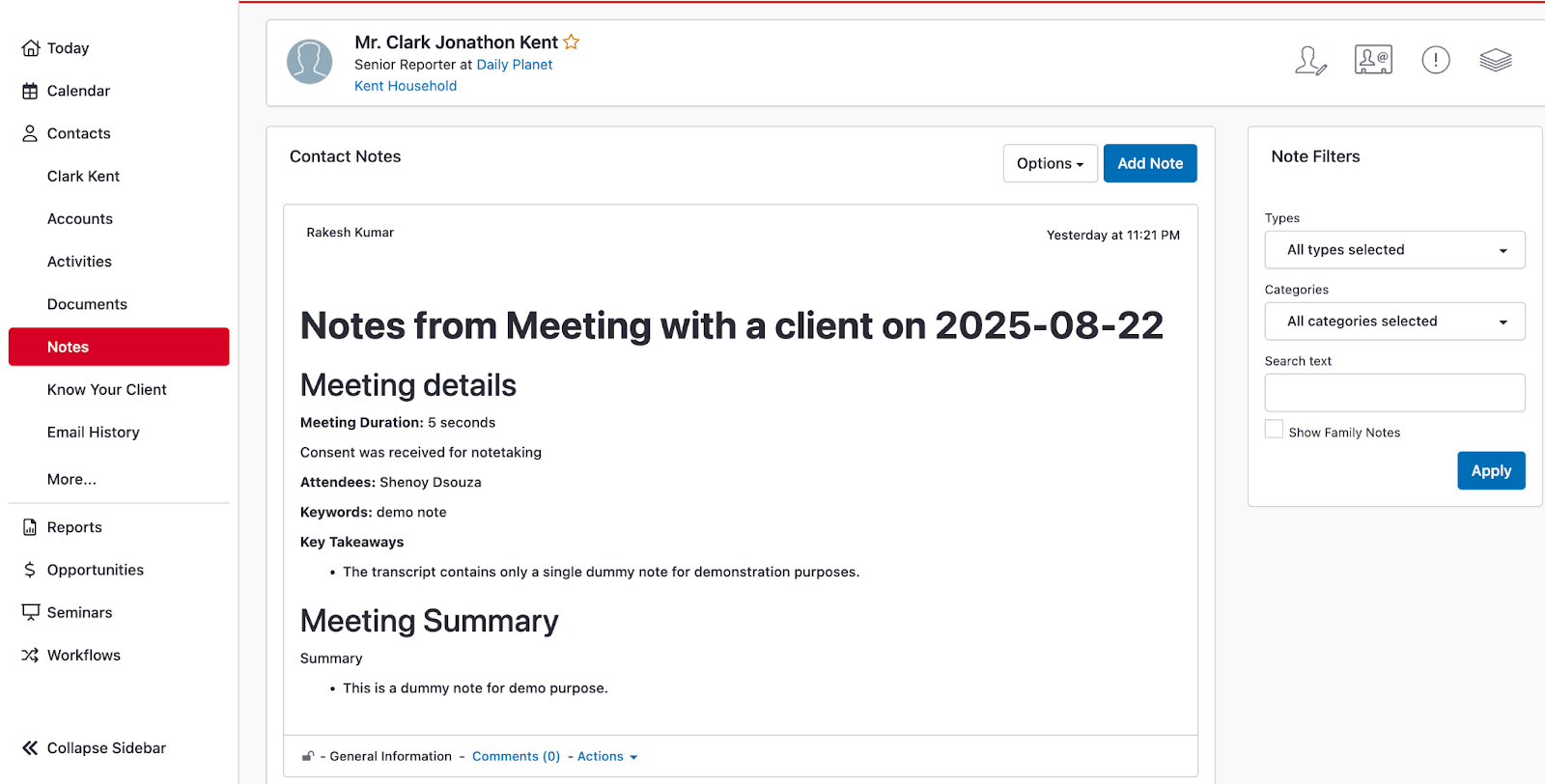
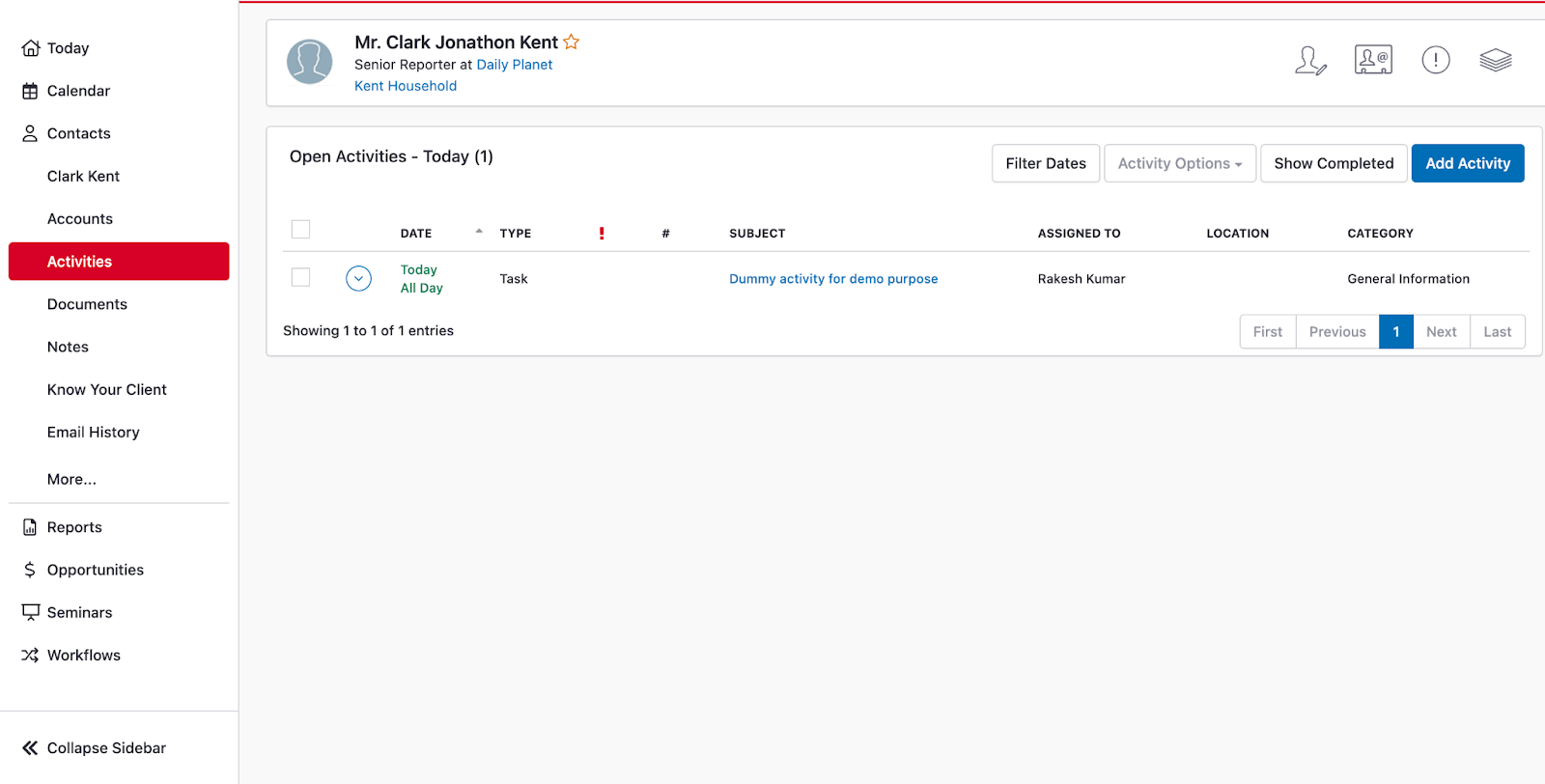
After syncing, your data appears under the selected Contact record:
-
Notes → Available under the related Contact record in Redtail.
-
Tasks → Action items appear under the contact’s Activities in Redtail.
🔄 What Zeplyn Retrieves from Redtail CRM
-
Contacts: Retrieved from Redtail Contacts.
-
Notes: Read from Redtail Notes associated with the contact.
-
Tasks: Retrieved from Redtail Activities.
-
Events (calendar meetings): Also retrieved from Redtail Activities.
✅ Summary
The Redtail integration allows you to:
-
Sync meeting notes and follow-up tasks directly to client records
-
Keep activities centralized within Redtail
-
Maintain accurate client interaction history