.png?width=225&height=75&name=Zeplyn_Blue%20%26%20White%20(1).png)
Agent Studio lets your firm build custom AI agents — no code required. An org admin writes a plain-language prompt describing what the agent should do (how a meeting summary should read, what a follow-up email should say), then publishes it to the organization.
Published agents show up across the app as a Run {Agent Name} action.

Anyone can run one in a single click, and it automatically uses whatever you're working on — a meeting note, a client, or a draft email — to produce a result in your firm's style.
Who can use it- Admins build, edit, and publish agents (requires org admin access, with a Zeplyn Agent Nexus subscription or trial activated)
- Everyone with a Zeplyn Agent Nexus subscription or trial can run any published agent!
- Go to Admin > Agents and click + Create new agent under the type you want (Note, Client, or Email).
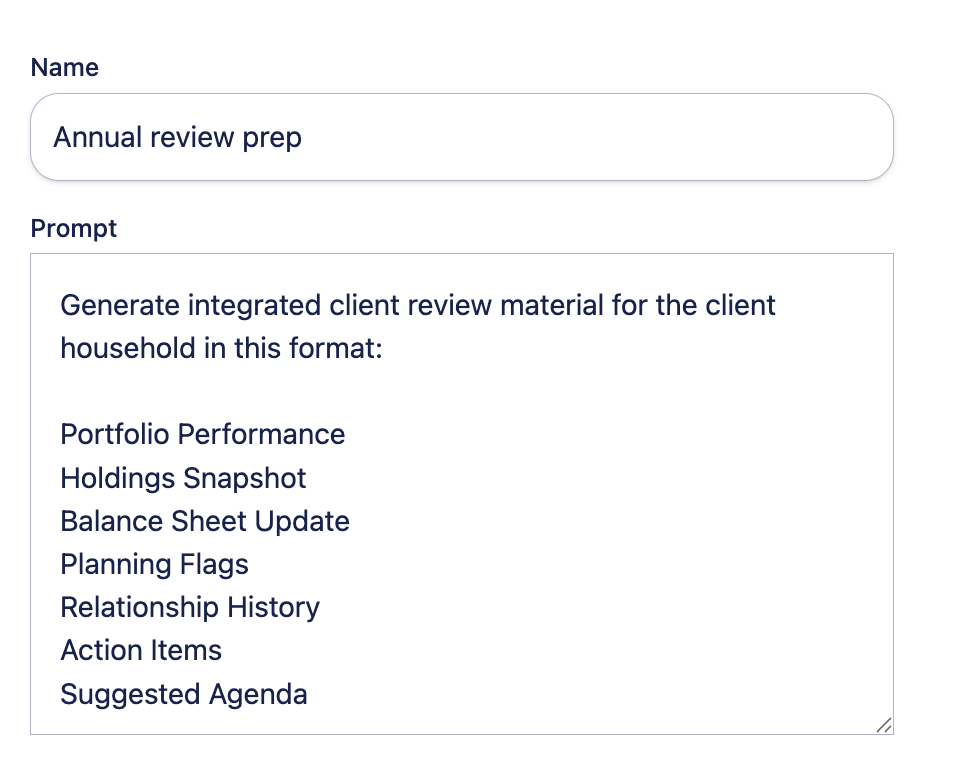
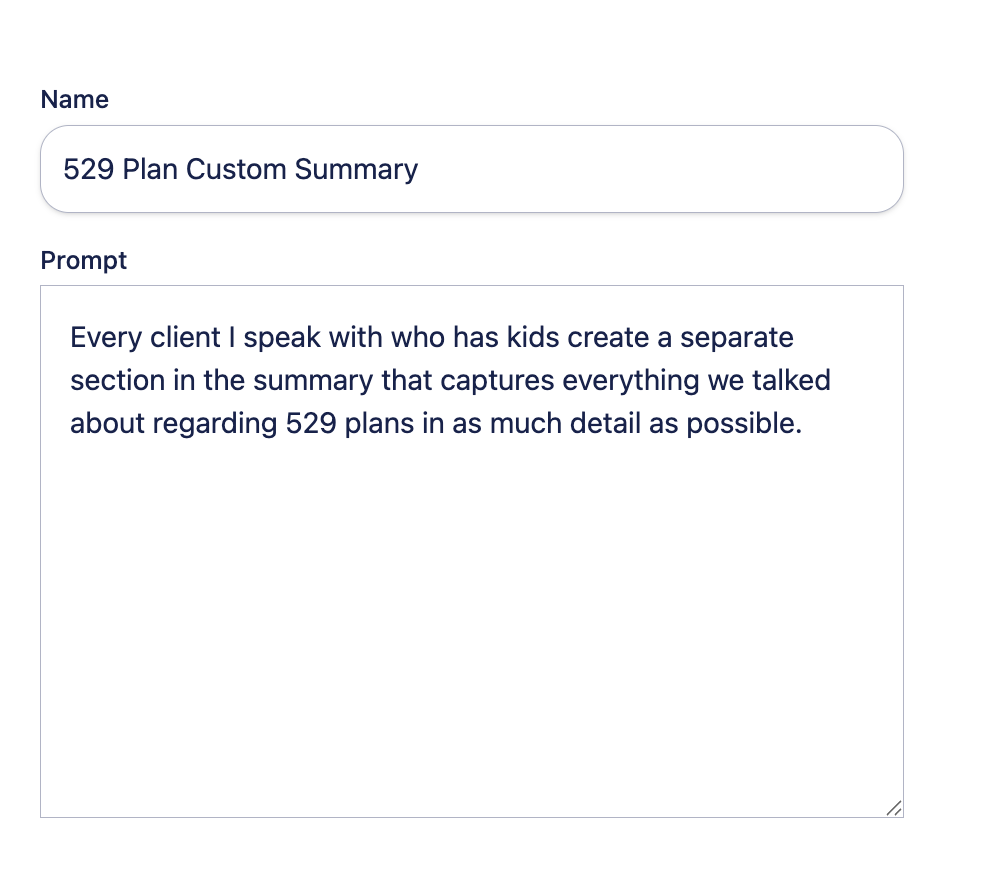
- Give it a Name — this is how it appears in the Run {Agent Name} action.
- Write the Prompt — plain-language instructions for what the agent should do and copy in any templates/output formats you would like it structured.
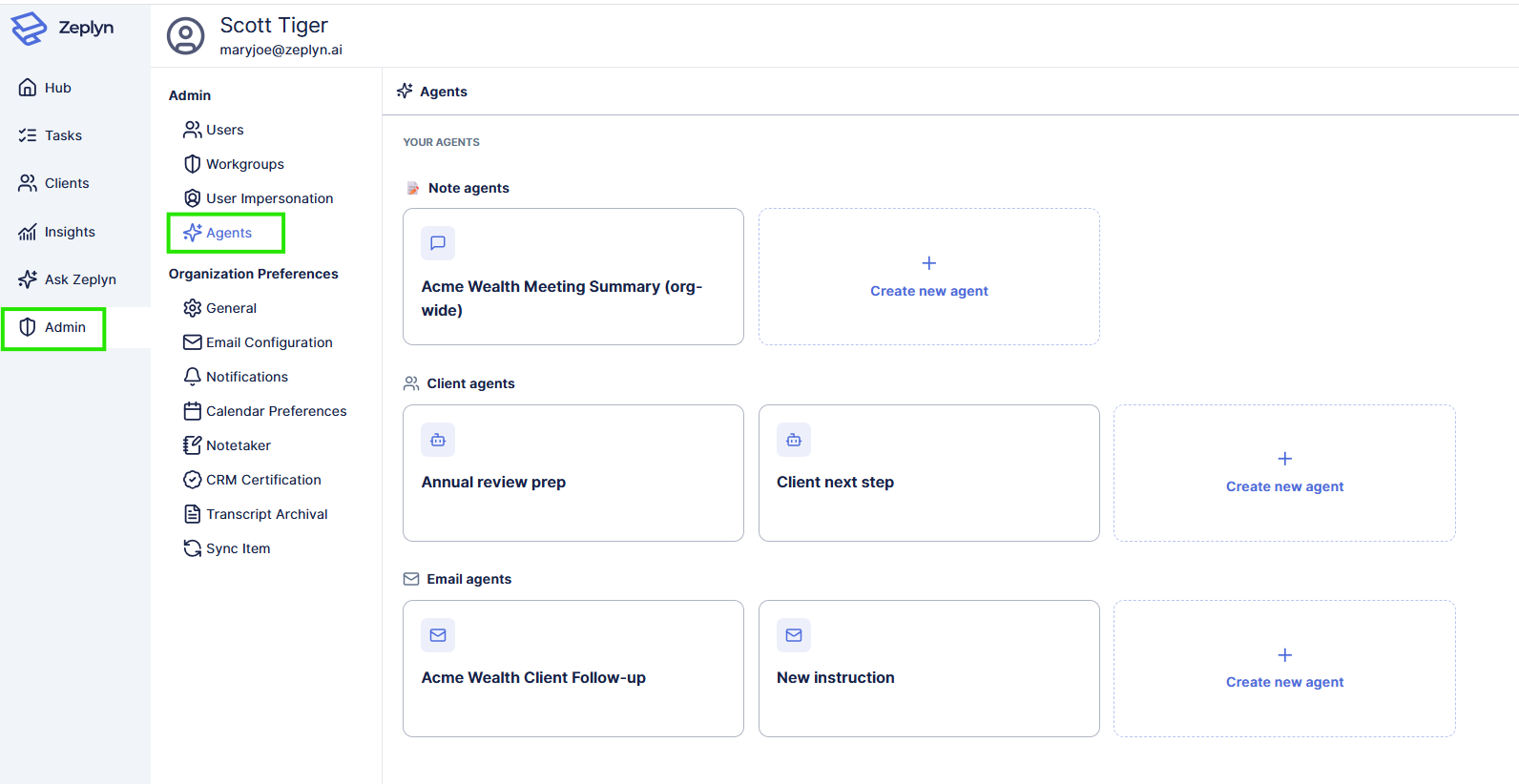
- Note (meeting) agents — run on a meeting note. Great for custom meeting summaries and recaps in your firm's voice.
- Client agents — run on a client. Great for onboarding prep, annual review prep, or client next steps. Can pull from associated meetings and your CRM.
- Email agents — run when drafting a client email (like a follow-up). Trainable with examples to match your tone.
Client (custom) agents also let you set an input type for the context they work from. Email agents add Training examples — sample emails that teach the agent your preferred tone and format.
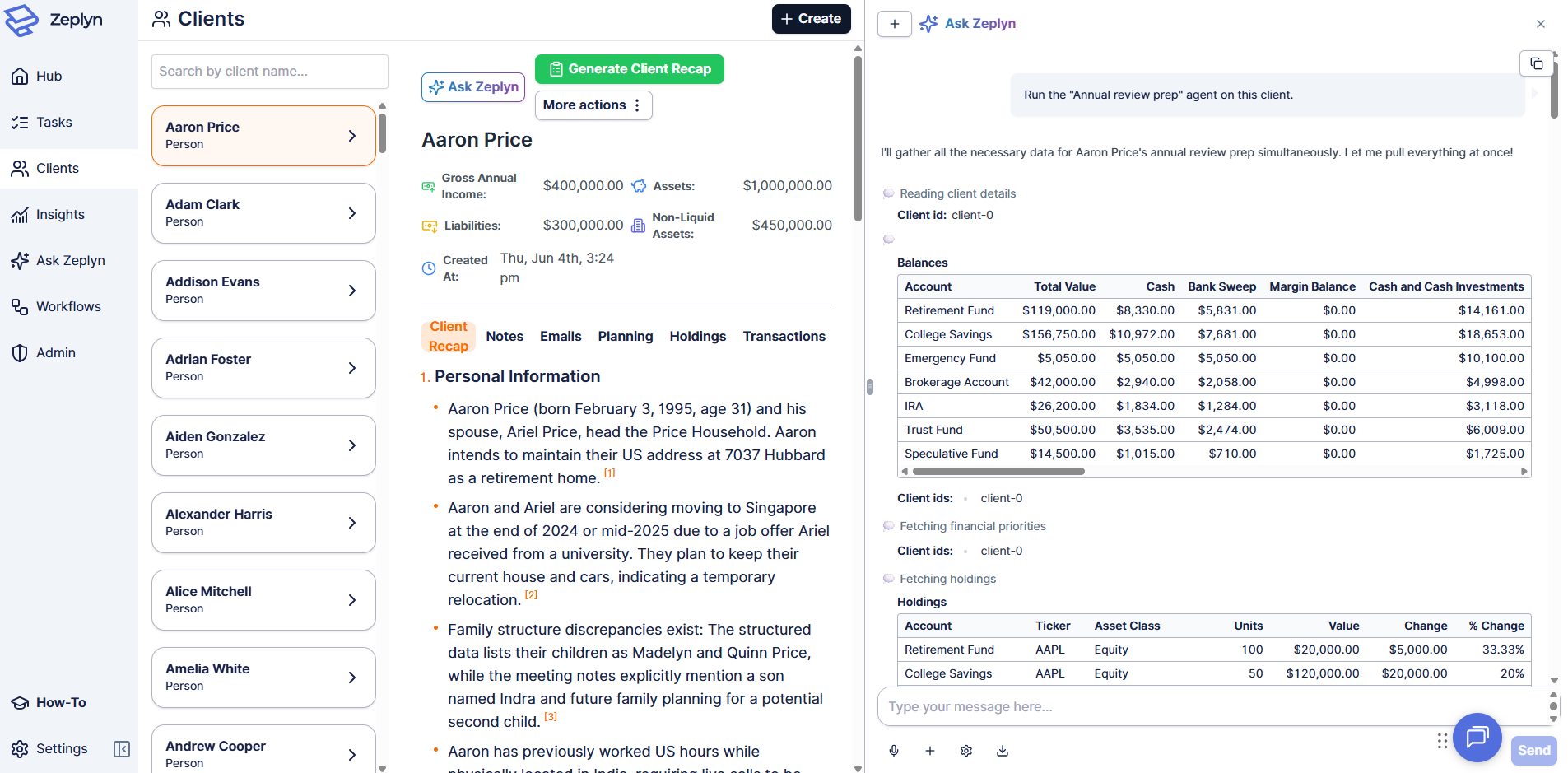
- Open the relevant meeting note or client.
- Choose the agent from the More actions menu
- The result streams into the Ask Zeplyn panel
For additional questions, please reach out to support@zeplyn.ai.